How To Check TPPLAY ID Account
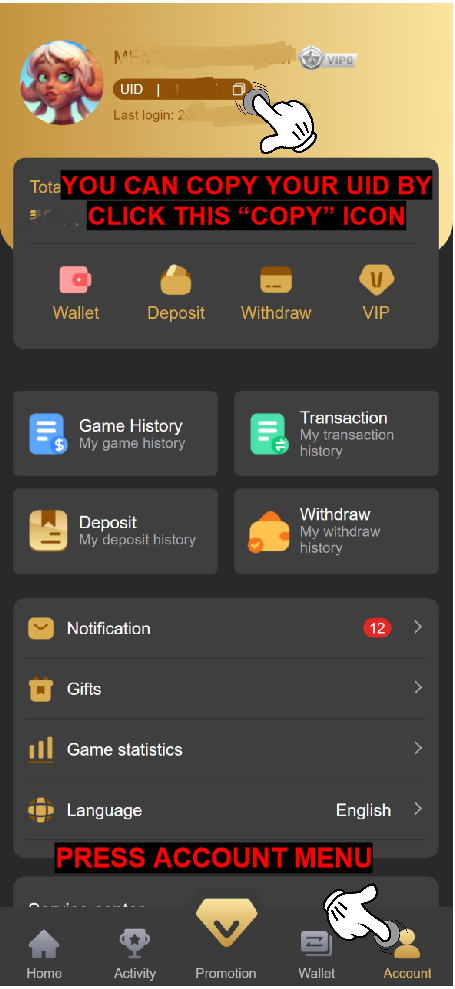
Q: How do I check my TPPLAY account ID?A: To check your TPPLAY account you can follow this step to find it
1. Login to your account by using this link https://tpplay.in/
2. Fill your phone number and password registered then press Login button
3. Press Account Menu
4. At the top of the profile is your ID number

Q: How to copy my TPPLAY ID account?
A: To copy ID account TPPLAY, you just need press copy button on beside ID account